Clients form a verdict in the first few seconds of a video call. Before you say a word, they read the room behind you. The right virtual background for consultants does quiet work in that moment: it tells a prospect you run a real practice, not a side hustle from the spare bedroom.
Your Background Sets Your Rate
Consulting is sold on perceived authority. You are not billing for hours of labor that a client can weigh on a scale. You are billing for judgment, and judgment is trusted before it is proven. Everything in the frame either supports that trust or chips away at it.
A generic stock office reads as exactly what it is: a person hiding their real room. A blurred kitchen reads as someone who fit the call between errands. Neither says "established firm." A branded lobby sign does. When a prospect sees your logo etched into glass or standing as backlit metal letters behind you, the message is simple. This person invested in their brand, so they will invest in my problem.
There is a practical benefit too. A consistent, owned scene removes the daily worry about whether your room is presentable. You stop tidying bookshelves and chasing daylight. You sit down, join the call, and look the same every time, which is its own form of credibility.
Match the Wall to the Meeting
There is no single best background. The strongest move is to keep a small set and choose the one that fits the meeting in front of you. A warm scene invites; a formal scene commands. Use that on purpose.
- Discovery call: a warm, approachable scene puts a new prospect at ease while you ask questions and build rapport.
- Board or stakeholder presentation: an executive or boardroom wall signals that you belong in a senior room.
- Workshop or working session: a clean, low-distraction studio keeps attention on your screen share, not the decor.
- High-end advisory pitch: a refined lounge or skyline office matches premium positioning and premium fees.
One detail decides whether any of these land: camera height. A seated webcam sits close to eye level, so pick a scene whose perspective feels eye level for a person at a desk. If the room looks like it is shot from the floor or the ceiling, the illusion breaks. Browse the full catalog at our wall shop and judge each scene as if you were already seated inside it.
Recommended Walls for Consultants
These four scenes consistently support a credible, senior presence on client video calls. Each one renders your logo as a real, dimensional sign matched to the room's light and angle, not a flat overlay floating in a corner.
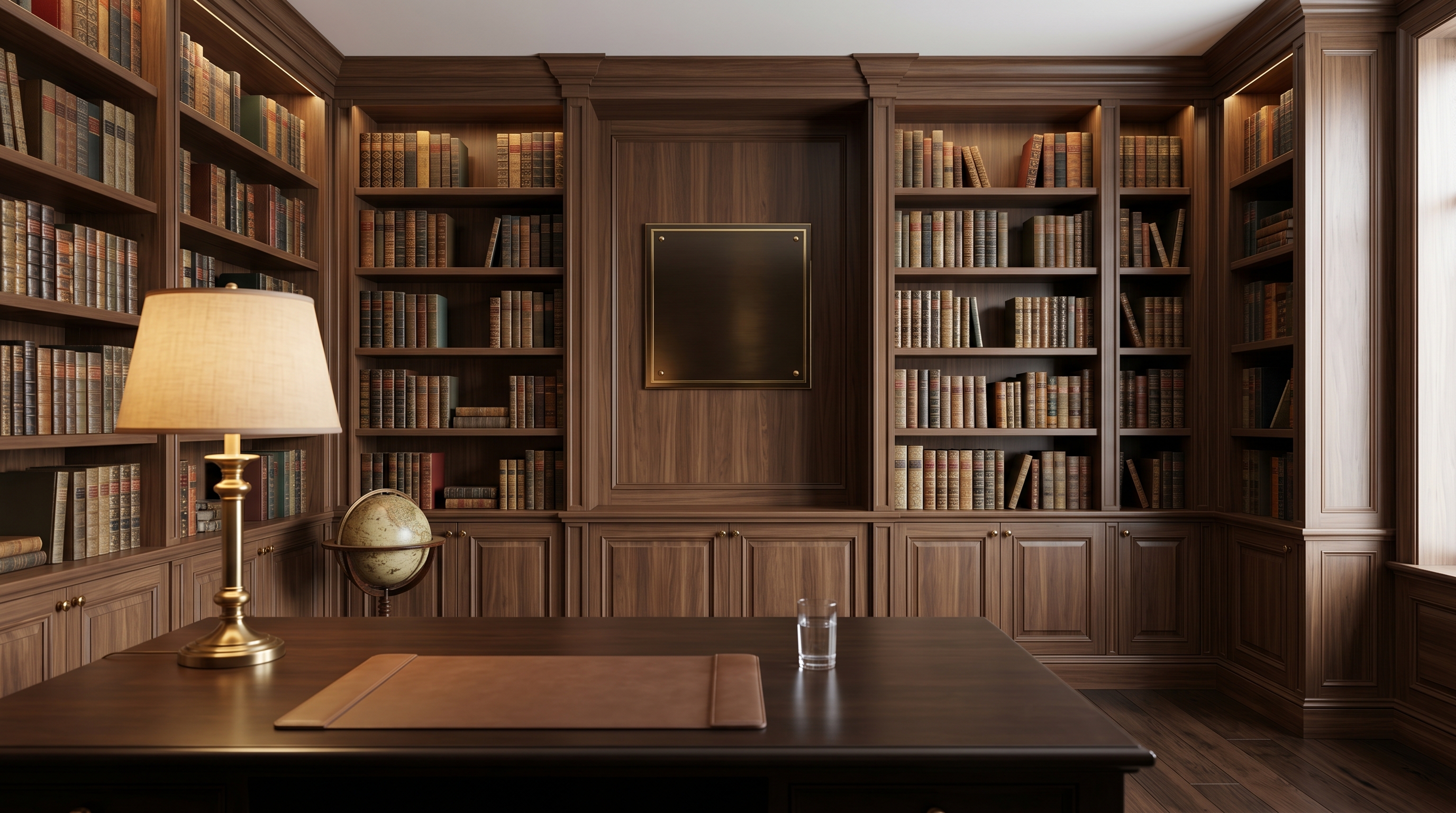
- Curated Library Study — shelves of books and warm wood read as deep expertise and discretion. This is the default for advisory and trusted-advisor work.
- Executive Skyline Office — a high floor and a city view project a senior, established presence for partner-level and C-suite conversations.
- Glass Boardroom — a clean boardroom setting fits board updates and stakeholder calls where you are presenting to a group.
- Luxury Lounge — a polished, high-end setting that backs premium advisory positioning without tipping into flashy.
Whichever you pick, keep the same logo treatment across all of them. A consistent mark, call after call, builds a recognizable firm identity the way a real office lobby would. Each wall is delivered as a single 1920x1080 HD image at a 16:9 ratio, which is the size Zoom, Microsoft Teams, and Google Meet all expect.
Answering the "Isn't It Cheesy?" Objection
Plenty of consultants hesitate here, and the worry is fair. Most virtual backgrounds do look cheesy. A novelty beach, a flickering green-screen halo, or a logo slapped flat in the corner all scream "effect." That is not what we are talking about.
A tasteful branded office is different. When the logo is rendered as a physical sign that sits inside the room, lit by the same light as the rest of the scene, it reads as brand investment rather than a filter. The viewer's eye accepts it as part of the space. Realistic rendering is the whole game, and it is exactly why a pasted-on overlay fails while a dimensional sign succeeds.
How to set it up across platforms
Once you have your HD file, adding it takes under a minute on each platform:
- Zoom: Settings, then Backgrounds & Filters, click the plus icon, and add your image.
- Microsoft Teams: in a call, open More, then Effects and avatars, choose Add new, and upload the file.
- Google Meet: before joining, click the effects icon on your self-preview, then the plus tile to upload your background.
After it loads, raise your webcam to eye height and check the preview. You want your eyeline and the room's perspective to agree so the scene feels like a place you are actually sitting in, not a poster behind your head.
Look Like the Firm You Are Building
You already do senior work. Your background should say so before you make your case. Pick a scene that matches your meeting, keep your logo consistent, and let the room do quiet work on every call. Start with the Curated Library Study if you want a safe, high-trust default, then add a boardroom or skyline scene for the formal rooms.