In a single deal cycle, a prospect might meet your SDR, your account executive, and your CEO. If one calls from a kitchen, one uses a blurry green-screen, and one floats in a galaxy filter, the company looks small. Branded virtual backgrounds for teams fix that in one move: every person on every call shows the same professional, on-brand room.
The Problem: A Fragmented Brand on Every Call
Your website is governed. Your pitch deck is governed. Your email signature is governed. The one surface a prospect stares at for the entire call, the space behind each rep, is usually left to chance.
That gap shows. When three people from the same company join a call and each has a different janky background, the buyer gets a quiet signal of disorganization. It does not read as a tight, well-run team. It reads as a handful of individuals who happen to share a logo on their email.
The video frame is an ungoverned brand surface, and it is also a first impression. Buyers form a verdict in the first seconds, before anyone speaks. Consistent presentation across that frame is the cheap, easy way to make a remote company look as established as a firm with a real lobby. For a remote or hybrid team, that consistency is the closest thing you have to a physical headquarters.
The Rollout Playbook for a Branded Sales Team Background
Rolling out a company branded Teams background across a sales team or a whole remote company is a one-time setup, not an ongoing chore. Here is the sequence that works.
- Pick two to three scenes that fit your brand tone. A law firm and a Series A startup should not feel the same on camera. Choose a small, deliberate set rather than letting everyone grab a random one.
- Render each scene with the same logo treatment. Use one logo and one sign style across every wall so the set feels like a family, not a grab bag.
- Distribute the HD files and set them as defaults. Drop the 1920x1080 images in a shared drive, or have IT push them in Microsoft Teams. Set one as the standard for everyday calls.
- Refresh the set quarterly or when branding changes. Rebrand, new tagline, or a seasonal campaign? Re-render the same scenes with the updated logo and reshare. The rooms stay; the mark updates.
That is the entire program. One brand owner approves the starter kit once, the files go out once, and every rep is on-brand from then on. You can build the kit from the full catalog at our wall shop, where each scene shows how a logo lands inside the room.
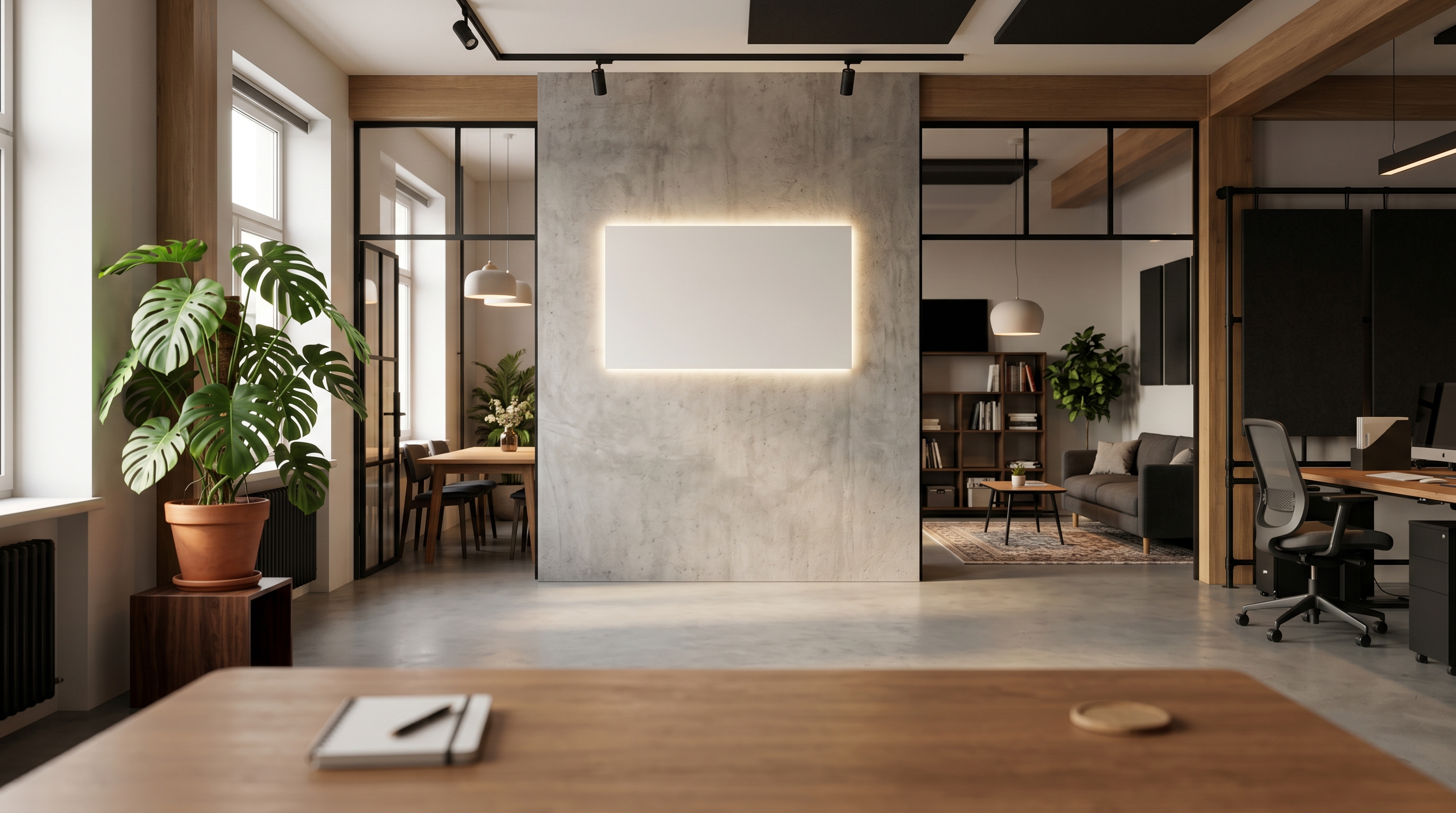
A Starter Kit by Role
Different calls call for different rooms. The trick is to map a small set of scenes to the moments your team meets buyers in, then keep the same sign treatment tying them together. Here is a practical starting kit.
- Leadership and closing calls: an executive or finance wall gives founders and senior AEs the senior backdrop a high-stakes conversation deserves. The Art Deco Executive Suite reads as established and serious.
- Product demos and discovery: a startup or creative wall keeps the energy current and approachable. The Concrete Collective fits modern product teams without feeling stuffy.
- Everyday internal and external calls: a minimalist wall is the safe daily default that never distracts from your face or your screen share.
Most teams do not need more than three. Two or three covers the formal room, the demo room, and the everyday room. Beyond that you are adding choices nobody uses. The point is matching virtual backgrounds across employees, not giving everyone a wardrobe.
Keep the sign treatment constant
The detail that ties the kit together is the logo itself. If your executive wall shows backlit metal letters and your demo wall shows a flat sticker, the set falls apart. Render every scene with the same dimensional sign style so a prospect who sees two different reps on two different calls still recognizes one brand.
Why Consistency Is Easy With AI Rendering
The old way to do this was to brief a designer, wait, and pay per variant. Every new room meant new design work, and keeping the logo consistent across rooms was its own headache. AI rendering removes that friction.
- One logo, many rooms. Upload your logo once and it is rendered as a real, dimensional sign matched to each room's perspective and lighting. The same mark looks at home in a concrete loft and a glass boardroom.
- No designer in the loop. You do not need a creative team to keep every variant on-brand. The rendering handles perspective and light, so the sign sits in the scene rather than floating over it.
- Ready to upload. Each wall ships as a single 1920x1080 HD image at a 16:9 ratio, which is exactly what Zoom, Microsoft Teams, and Google Meet expect. No resizing, no cropping.
- Org-wide deployment. In Microsoft Teams, an admin can add approved background images for the whole organization so employees do not have to download anything themselves.
That last point matters for ops and IT. In Teams, a global admin uploads approved images through the Teams admin center, and they appear in every employee's background gallery. On Zoom and Google Meet there is no org push for custom images today, so the simplest path is a shared folder plus a one-line setup guide. Either way, the rep's job is to pick the approved file, not to design anything.
Handling Common Objections
A few worries come up every time a leader considers this. Each has a simple answer.
- "Rollout sounds like a lot of work." It is a one-time distribution. Share the files, set one as default, and write a three-line setup note per platform. After that, nothing recurs until your brand changes.
- "Who decides which wall we use?" Your brand or marketing owner approves the starter kit, the same way they approve a deck template. Reps choose from the approved set, not the open internet.
- "Some calls are casual, some are formal." That is exactly why you keep two or three variants. A minimalist wall for the daily standup, an executive wall for the closing call. Same logo, different room.
- "Will reps drift off-brand?" Not if the approved set all carries the same logo and the same sign style. The consistency is built into the files, so staying on-brand is the default rather than a rule people have to remember.
One Team, One Frame
A remote company does not get a shared lobby, a shared reception desk, or a shared wall of signage. The video frame is the only space every employee shares with a buyer, and right now most companies leave it to chance. Govern it the way you govern every other brand surface.
Pick two or three scenes, render them with one logo, and roll them out once. From the next call onward, your SDR, your AE, and your CEO all show the same professional room, and the company finally looks as coordinated as it actually is. Start by building your kit from the full wall catalog and pick a default everyone can rally around.